Amazon EKS ハンズオン for Fargate/Container Insights > [Option] Intermediate > Deploying Jenkins > Setup multibranch projects
Setup multibranch projects
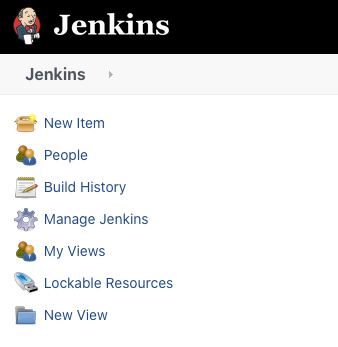
After logging into the Jenkins web console, we’re ready to add our eksworkshop-app repository. Start by selecting New Item on the top right corner.
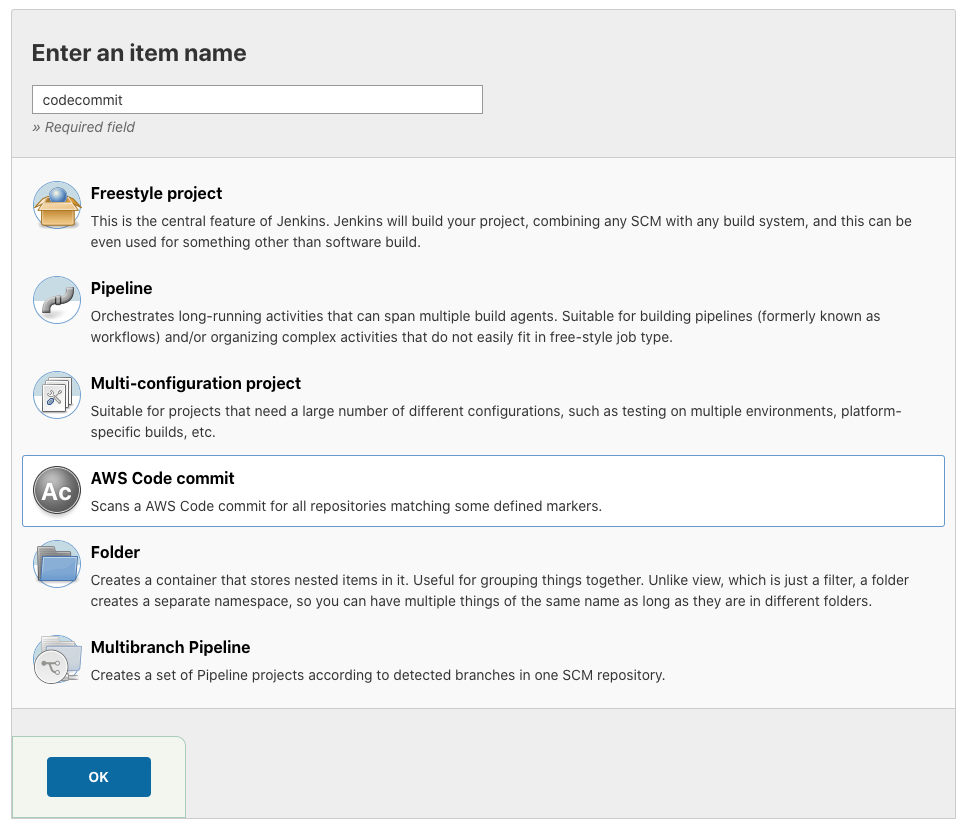
Set the name of the item to codecommit and select the AWS Code commit item type.
Execute the following commands to get your Git username and password.
echo $GIT_USERNAME
echo $GIT_PASSWORD
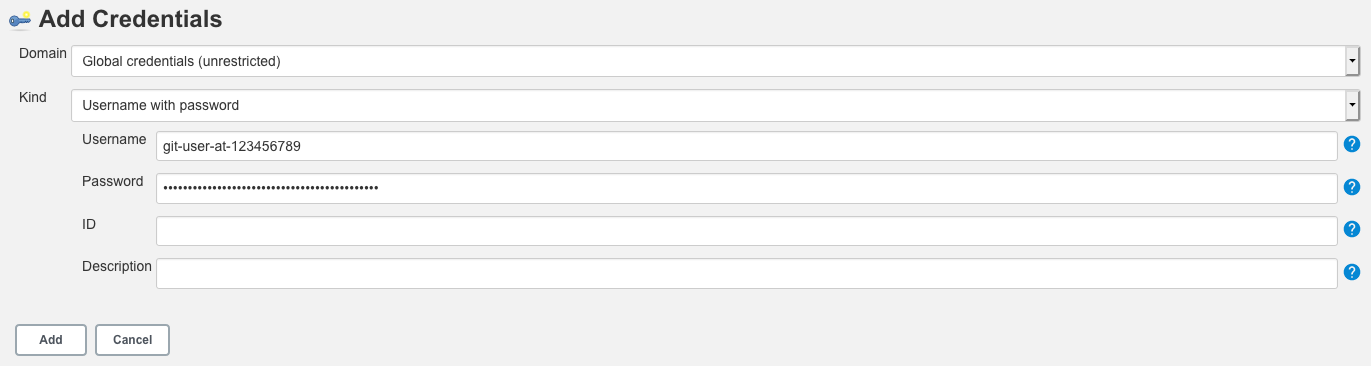
To the right of Code Commit Credentials, select Add then CodeCommit. Set the Username and Password to the corresponding values from the previous command.
Confirm your current AWS Region.
echo https://codecommit.$AWS_REGION.amazonaws.com
Copy that value to theURL field under project.
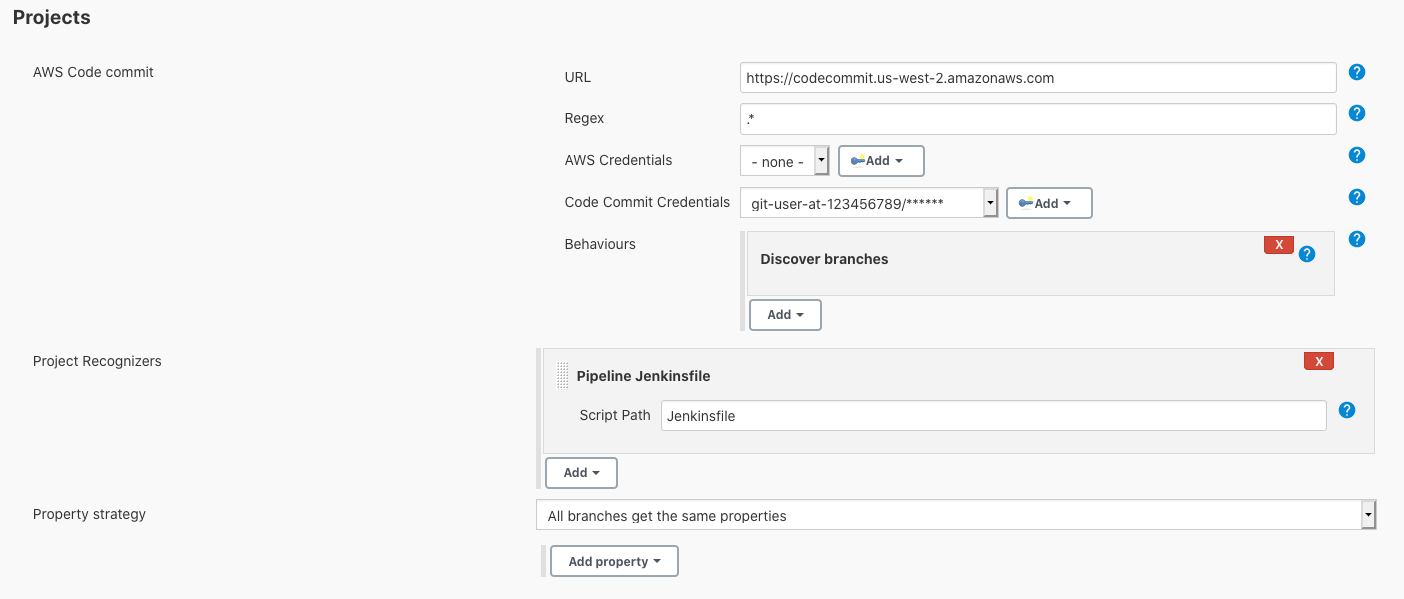
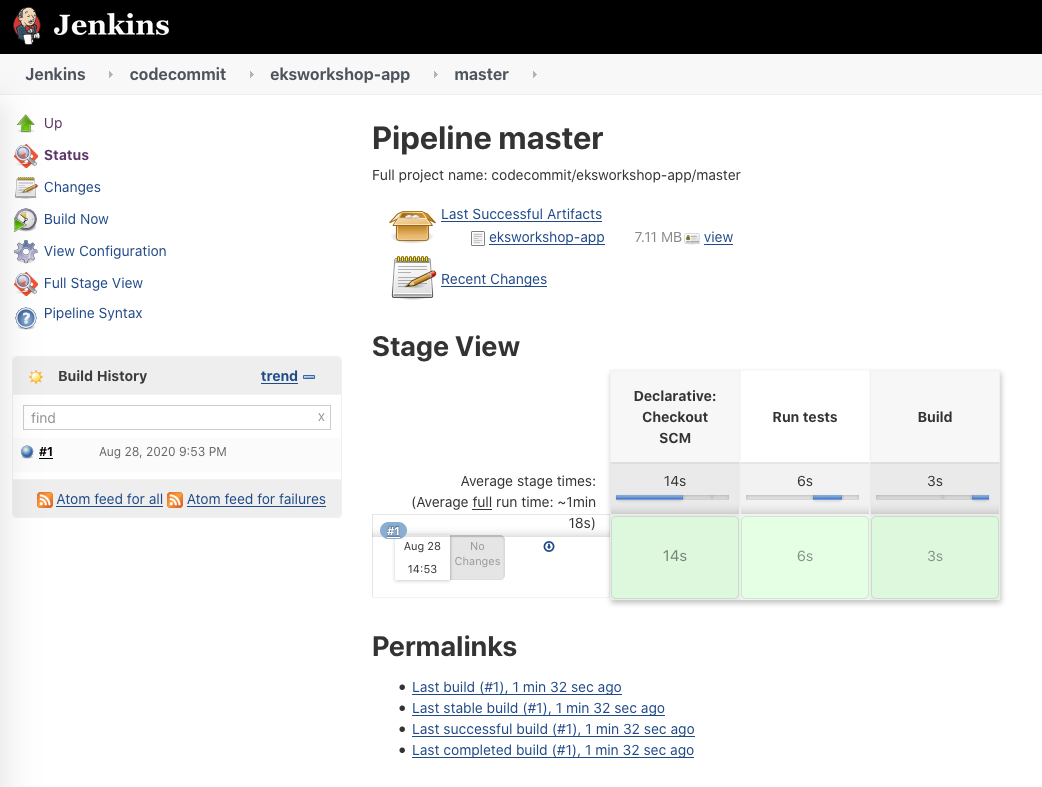
Select Save at the bottom left of the screen. Jenkins will begin executing the pipelines in repositories and branches that contain a Jenkinsfile.